
AI Image Generation
Build stunning, AI-generated images with multiple provider options. CodePup AI supports top AI models for image generation with zero backend effort.
Choose the AI provider that best fits your needs:
OpenAI - Industry-Leading Image Generation
Section titled “OpenAI - Industry-Leading Image Generation”Connect your CodePup AI app to OpenAI, the industry-leading AI platform for high-quality, creative image generation from text prompts.
OpenAI enables your app to provide photorealistic images, artistic illustrations, and creative visual content on demand.
OpenAI Image Generation Capabilities
Section titled “OpenAI Image Generation Capabilities”- Generate high-quality images from natural language prompts
- Create photorealistic visuals for marketing and branding
- Produce artistic illustrations in various styles
- Edit and modify existing images with inpainting
- Generate multiple variations of a single concept
OpenAI Image Generation Use Cases
Section titled “OpenAI Image Generation Use Cases”- Marketing Asset Generators
Create on-brand visuals for campaigns instantly
Build a marketing asset generator using OpenAI that creates social media graphics, ad banners, and promotional images from text descriptions.- Product Mockup Tools
Generate product visuals and packaging concepts
Create a product mockup tool using OpenAI that generates realistic product images, packaging designs, and lifestyle shots from descriptions.- Creative Design Assistants
Help designers explore visual concepts quickly
Build a creative design assistant using OpenAI that generates mood boards, concept art, and design explorations from creative briefs.- Content Illustration Tools
Auto-generate illustrations for articles and blogs
Create a content illustration tool using OpenAI that generates unique, relevant images for blog posts, articles, and social media content.- Avatar & Profile Picture Generators
Create unique, personalized avatars
Build an avatar generator using OpenAI that creates custom profile pictures, character designs, and personalized illustrations from user descriptions.OpenAI Setup
Section titled “OpenAI Setup”Prerequisites:
- An OpenAI account
- A valid OpenAI API key
- Billing enabled on OpenAI
- Sufficient credits for your use case
Get your API key:
- Go to OpenAI Platform
- Navigate to API keys in your account settings
- Add billing information and payment method
- Create a new API key (
sk-xxxx)
Use in CodePup AI:
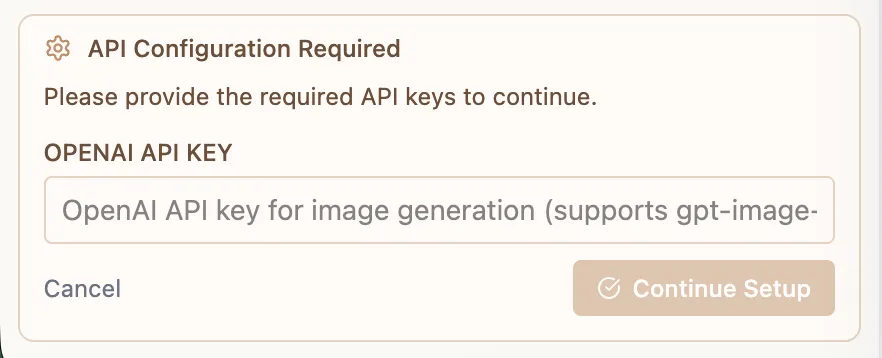
- Give the Prompt (Instructions) what you want to build
- It will ask you for the API Key
Google Gemini - Multimodal Image Generation
Section titled “Google Gemini - Multimodal Image Generation”Connect your CodePup AI app to Google Gemini, Google’s advanced multimodal AI platform for intelligent image generation with visual understanding capabilities.
Google Gemini enables your app to leverage cutting-edge multimodal AI, contextual image generation, and creative visual capabilities.
Gemini Image Generation Capabilities
Section titled “Gemini Image Generation Capabilities”- Generate context-aware images from detailed text prompts
- Create visuals with multimodal understanding
- Produce creative illustrations and visual content
- Build image generation pipelines with text + vision input
- Enable conversational image creation with iterative refinement
Gemini Use Cases
Section titled “Gemini Use Cases”- Multimodal Content Creators
Generate images that understand both text and visual context
Create a multimodal content creator using Gemini that generates images based on text prompts and reference images for context-aware visual output.- Visual Storytelling Tools
Create illustrated stories and visual narratives
Build a visual storytelling tool using Gemini that generates sequential illustrations for stories, comics, and educational content.- Document Visualization Tools
Turn text-heavy content into visual summaries
Create a document visualization tool using Gemini that reads text content and generates infographics, diagrams, and visual summaries.- E-Commerce Image Tools
Generate product images and lifestyle visuals
Build an e-commerce image tool using Gemini that generates product photos, lifestyle imagery, and catalog visuals from product descriptions.- Educational Visual Aids
Create illustrations for learning materials
Build an educational visual aid tool using Gemini that generates diagrams, illustrations, and visual explanations for complex concepts.Gemini Setup
Section titled “Gemini Setup”Prerequisites:
- A Google account
- A valid Google Gemini API key
- Billing enabled on Google Cloud
Get your API key:
- Go to Google AI Studio
- Click “Create API Key” or “Get API Key”
- Select or create a Google Cloud project
- Enable billing for the project
- Copy your API key
Use in CodePup AI:
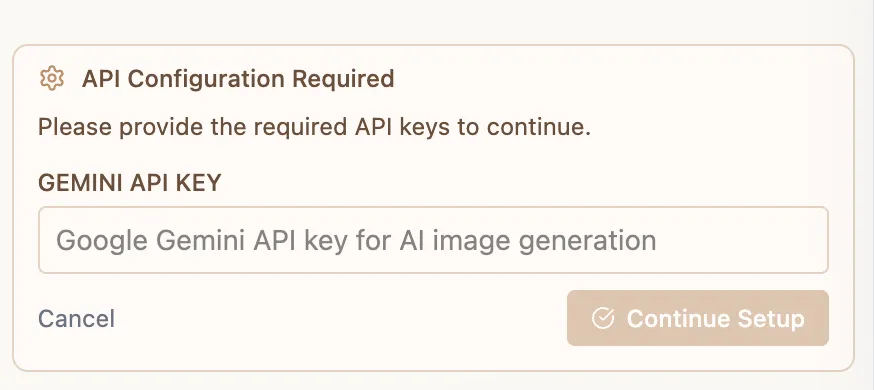
- Give the Prompt (Instructions) what you want to build
- It will ask you for the API Key
Choosing Your Image Generation Provider
Section titled “Choosing Your Image Generation Provider”| Provider | Best For | Strengths |
|---|---|---|
| OpenAI | Creative visuals, marketing assets | Photorealistic, high quality, industry standard |
| Gemini | Multimodal, context-aware generation | Vision input, Google ecosystem, versatile |
Why Image Generation Matters
Section titled “Why Image Generation Matters”With CodePup AI’s image generation integration, you get:
- Multiple AI options to choose from
- Zero backend setup required
- Production-ready image generation experiences
- Scalable solutions for any visual content use case
You focus on the idea, CodePup builds the system.