
AI Chatbot Integration
Build intelligent, context-aware AI chatbots with multiple provider options. CodePup AI supports top AI models for conversational experiences with zero backend effort.
Choose the AI provider that best fits your needs:
Anthropic Claude - Advanced Reasoning
Section titled “Anthropic Claude - Advanced Reasoning”Connect your CodePup AI app to Anthropic Claude, a powerful AI model for intelligent, context-aware conversations with advanced reasoning capabilities.
Anthropic Claude enables your app to provide deep understanding, nuanced responses, and reliable AI behavior.
Claude Capabilities
Section titled “Claude Capabilities”- Build intelligent AI chatbots with superior reasoning
- Create conversational assistants for customer support
- Generate detailed analysis and summaries
- Add advanced AI capabilities to any chat-based feature
- Enable multi-turn conversations with context awareness
Claude Use Cases
Section titled “Claude Use Cases”- Customer Support Chatbots
Provide intelligent, context-aware customer support 24/7
Build a customer support chatbot using Claude that understands customer issues, provides solutions, and escalates complex problems to humans.- Personal AI Assistants
Create assistants that understand nuanced requests
Create a personal AI assistant using Claude that helps with writing, research, coding assistance, and problem-solving with deep understanding.- Content Analysis Tools
Analyze and summarize complex documents
Build a content analysis tool using Claude that reads documents, extracts key insights, and provides detailed summaries with recommendations.- Code Review Assistants
Provide intelligent code feedback
Create a code review assistant using Claude that analyzes code quality, suggests improvements, and explains best practices.- Educational Tutors
Build interactive learning experiences
Build an AI tutor using Claude that adapts to student learning styles, explains complex topics, and provides personalized feedback.Claude Setup
Section titled “Claude Setup”Prerequisites:
- An Anthropic account
- A valid Claude API key
- Billing enabled on Anthropic
Get your API key:
- Go to Anthropic Console
- Navigate to API Keys
- Add billing information
- Create a new API key (
sk-ant-xxxx)
Use in CodePup AI:
- Give the Prompt (Instructions) what you want to build
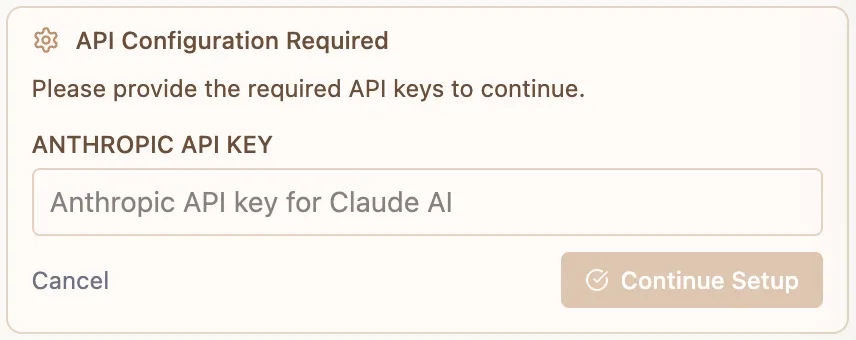
- It will ask you for the API Key
OpenAI GPT - Industry Standard
Section titled “OpenAI GPT - Industry Standard”Connect your CodePup AI app to OpenAI GPT, the industry-leading AI model for intelligent conversations with state-of-the-art natural language understanding.
OpenAI GPT enables your app to provide advanced language understanding, creative content generation, and reliable responses.
GPT Capabilities
Section titled “GPT Capabilities”- Build powerful AI chatbots with advanced natural language understanding
- Generate intelligent and creative responses
- Create conversational AI assistants for any industry
- Enable multi-turn conversations with superior context awareness
- Add intelligent features to any application
GPT Use Cases
Section titled “GPT Use Cases”- AI Chatbots
Build responsive, intelligent conversational agents
Create an AI chatbot using OpenAI GPT that answers questions, provides recommendations, and maintains conversation context.- Customer Service Assistants
Automate customer interactions with intelligence
Build a customer service bot using GPT that handles inquiries, troubleshoots issues, and escalates to humans when needed.- Content Generation
Generate blog posts, social media content, and marketing copy
Create a content generation tool using GPT that produces blog posts, social media captions, email campaigns, and marketing copy.- Personal Assistant
Create an all-purpose AI assistant
Build a personal AI assistant using GPT that helps with scheduling, research, writing, and task management.- Learning Companion
Create interactive educational experiences
Build a learning companion using GPT that explains concepts, answers questions, and provides practice problems.GPT Setup
Section titled “GPT Setup”Prerequisites:
- An OpenAI account
- A valid OpenAI API key
- Billing enabled on OpenAI
- Sufficient credits for your use case
Get your API key:
- Go to OpenAI Platform
- Navigate to API keys in your account settings
- Add billing information and payment method
- Create a new API key (
sk-xxxx)
Use in CodePup AI:
- Give the Prompt (Instructions) what you want to build
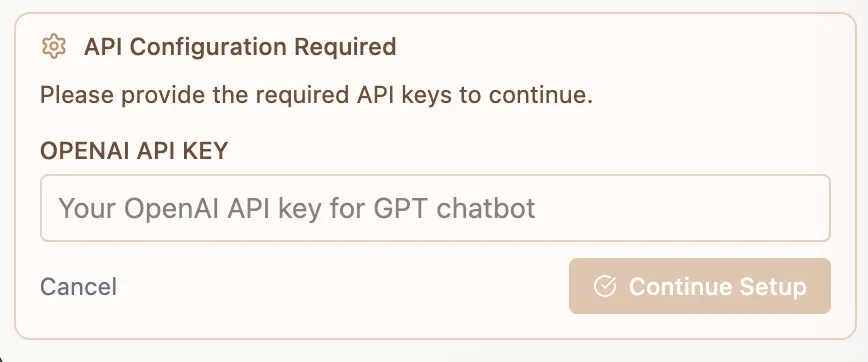
- It will ask you for the API Key
Google Gemini - Multimodal AI
Section titled “Google Gemini - Multimodal AI”Connect your CodePup AI app to Google Gemini, Google’s advanced multimodal AI model for intelligent conversations with visual understanding capabilities.
Google Gemini enables your app to leverage cutting-edge multimodal AI, visual understanding, and creative capabilities.
Gemini Capabilities
Section titled “Gemini Capabilities”- Build intelligent AI chatbots with multimodal understanding
- Process and analyze images and documents
- Generate creative content and recommendations
- Develop conversational AI assistants for any use case
- Enable vision-based AI features
Gemini Use Cases
Section titled “Gemini Use Cases”- Multimodal AI Chatbots
Build chatbots that understand both text and images
Create a multimodal AI chatbot using Gemini that answers questions, understands images, and provides context-aware responses.- Document Analysis Tools
Analyze documents and extract information
Create a document analysis tool using Gemini that reads PDFs, images, and documents to extract key information and summarize content.- Visual Content Assistants
Analyze and describe visual content
Build a visual content assistant using Gemini that analyzes images, provides descriptions, and generates insights from visual data.- AI Product Recommendations
Generate recommendations based on images
Create a product recommendation system using Gemini that analyzes product images and generates personalized suggestions.- Educational Assistant
Create interactive learning with visual content
Build an educational assistant using Gemini that explains concepts with text and images for better understanding.Gemini Setup
Section titled “Gemini Setup”Prerequisites:
- A Google account
- A valid Google Gemini API key
- Billing enabled on Google Cloud
Get your API key:
- Go to Google AI Studio
- Click “Create API Key” or “Get API Key”
- Select or create a Google Cloud project
- Enable billing for the project
- Copy your API key
Use in CodePup AI:
- Give the Prompt (Instructions) what you want to build
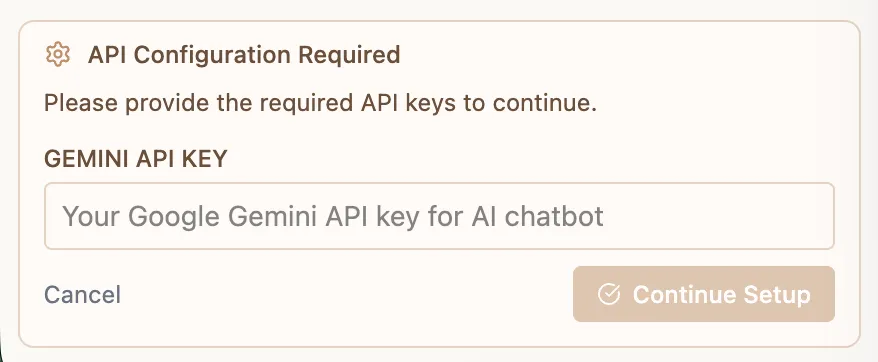
- It will ask you for the API Key
Perplexity - Real-Time Web Search
Section titled “Perplexity - Real-Time Web Search”Connect your CodePup AI app to Perplexity, an AI-powered search engine for real-time, source-backed information with citations.
Perplexity enables your app to access live web data and return concise, verifiable answers with sources.
Perplexity Capabilities
Section titled “Perplexity Capabilities”- Answer questions using up-to-date web information
- Generate summaries with citations
- Build research, sales, or analytics tools
- Add real-time intelligence to any chat feature
- Combine web search with conversational AI
Perplexity Use Cases
Section titled “Perplexity Use Cases”- Sales Assistants
Fetch company insights, news, and context before meetings
Build a sales assistant that uses Perplexity to gather company overviews, recent news, leadership changes, and key insights before client calls.- Market Research Tools
Analyze competitors, funding, and trends in real time
Create a market research tool using Perplexity that tracks competitors, funding rounds, product launches, and industry trends.- Fact-Checking Apps
Verify claims with supporting and opposing sources
Build a fact-checking app that takes a statement as input and uses Perplexity to verify it with supporting and contradicting sources.- AI Research Assistants
Answer open-ended questions with cited information
Create a research assistant that answers open-ended questions using Perplexity with structured, citation-backed responses.- News & Monitoring Tools
Track updates, regulations, or industry changes
Build a monitoring tool that uses Perplexity to track industry news, regulatory updates, and important changes in real time.Perplexity Setup
Section titled “Perplexity Setup”Prerequisites:
- A Perplexity account
- A valid Perplexity API key
- Billing enabled on Perplexity
Get your API key:
- Go to Perplexity
- Navigate to Profile → API
- Add billing details
- Generate a new API key (
pplx-xxxx)
Use in CodePup AI:
- Give the Prompt (Instructions) what you want to build
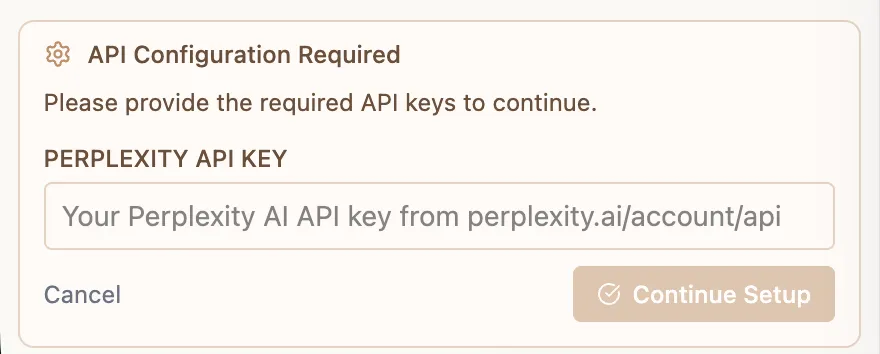
- It will ask you for the API Key
Choosing Your Chatbot Provider
Section titled “Choosing Your Chatbot Provider”| Provider | Best For | Strengths |
|---|---|---|
| Claude | Advanced reasoning, analysis | Superior reasoning, reliable |
| GPT | General purpose, popular | Most used, versatile |
| Gemini | Multimodal, visual content | Vision capabilities, Google tech |
| Perplexity | Current information, research | Real-time web search, citations |
Why Chatbot Integration Matters
Section titled “Why Chatbot Integration Matters”With CodePup AI’s chatbot integration, you get:
- Multiple AI options to choose from
- Zero backend setup required
- Production-ready conversational experiences
- Scalable solutions for any chatbot use case
You focus on the idea - CodePup builds the system.