
Database (PostgreSQL)
Store and query your app’s data with full SQL power.
CodePup AI auto-generates tables and schema based on your prompts.
CodePup AI comes with native Supabase integration, allowing you to build a complete backend directly from your conversation.
You can design pages, create databases, configure authentication, and deploy backend logic all through natural prompts.
This integration gives you the power to define both UI and backend behavior without switching tools or writing boilerplate setup code.
Describe what you want, and CodePup AI handles the rest.
Supabase is an open-source alternative to Firebase, offering a hosted PostgreSQL database, real-time updates, user authentication, file storage, and Edge Functions.
By connecting Supabase to your CodePup AI project, you instantly gain:
Supabase also provides a clean dashboard to manage data, users, storage, and SQL queries - giving you full transparency and control.
Database (PostgreSQL)
Store and query your app’s data with full SQL power.
CodePup AI auto-generates tables and schema based on your prompts.
User Authentication
Add sign-up/login flows backed by Supabase Auth.
CodePup AI wires everything automatically.
File Storage
Upload and serve images, documents, or any media using Supabase Storage.
Real-time Updates
Build live dashboards, chats, or activity streams with streaming data updates.
Edge Functions
Run custom backend logic using Supabase serverless functions.
When building with CodePup AI, you don’t juggle separate tools for UI, backend, or database setup.
Your workflow becomes:
“Describe what you want → CodePup AI builds the UI + backend + database together.”
For example:
“Create an event registration website and store responses in the database.”
CodePup AI will:
All in one step.
This unified generation process dramatically speeds up development and eliminates integration complexity.
Connecting Supabase requires:
Sign up at the Supabase website. The free tier allows 2 projects, which is enough for most CodePup builds.
Inside Supabase, create your organization and project.
No credit card is required.
To connect:
Start generating your project in CodePup AI and select the Interactive Website project type.
A modal will appear asking for your Supabase Access Token.
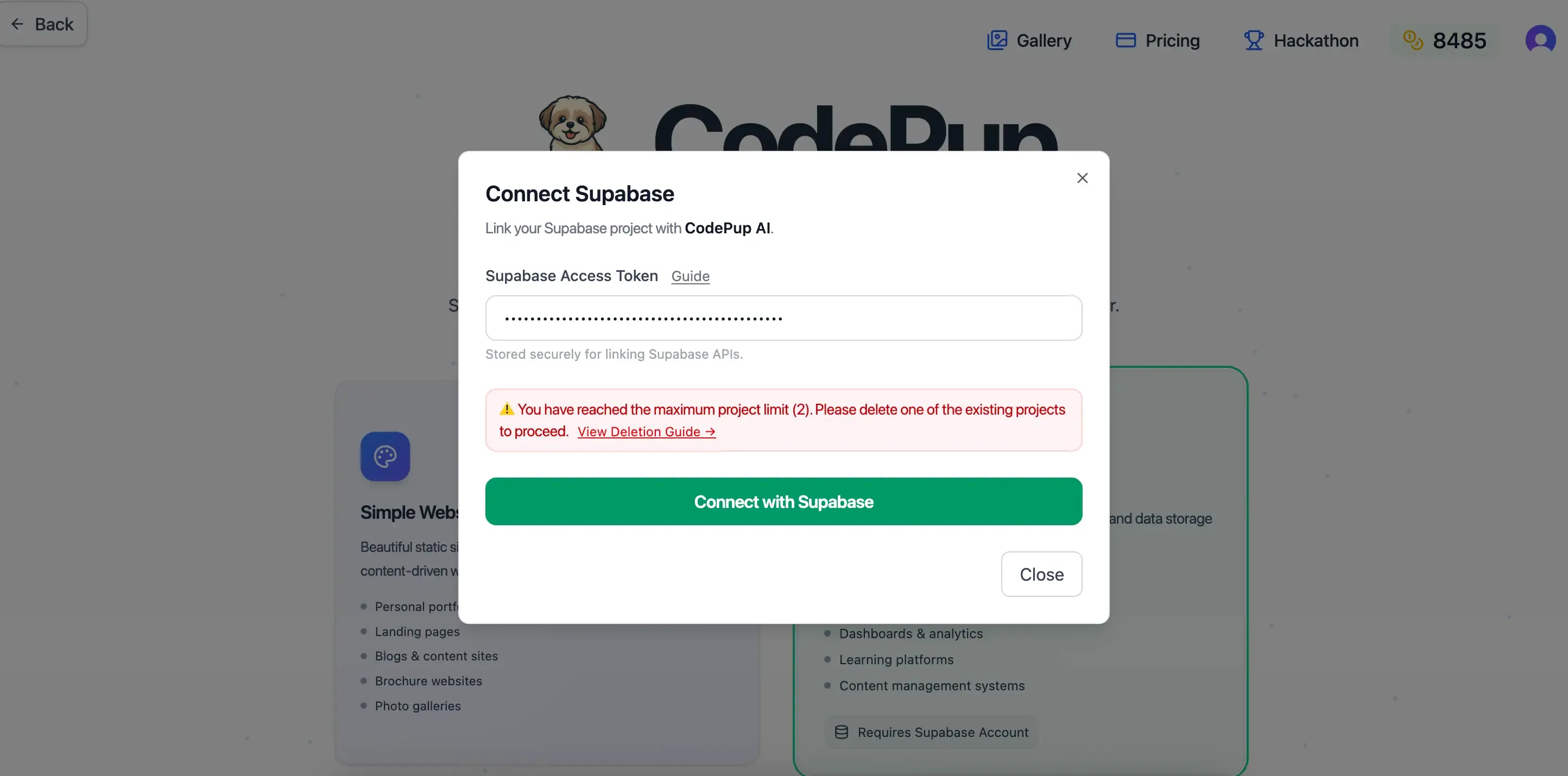
Enter the token and CodePup AI automatically links your project to your Supabase backend.
Within moments, you’ll see a confirmation message:
“Supabase connected”
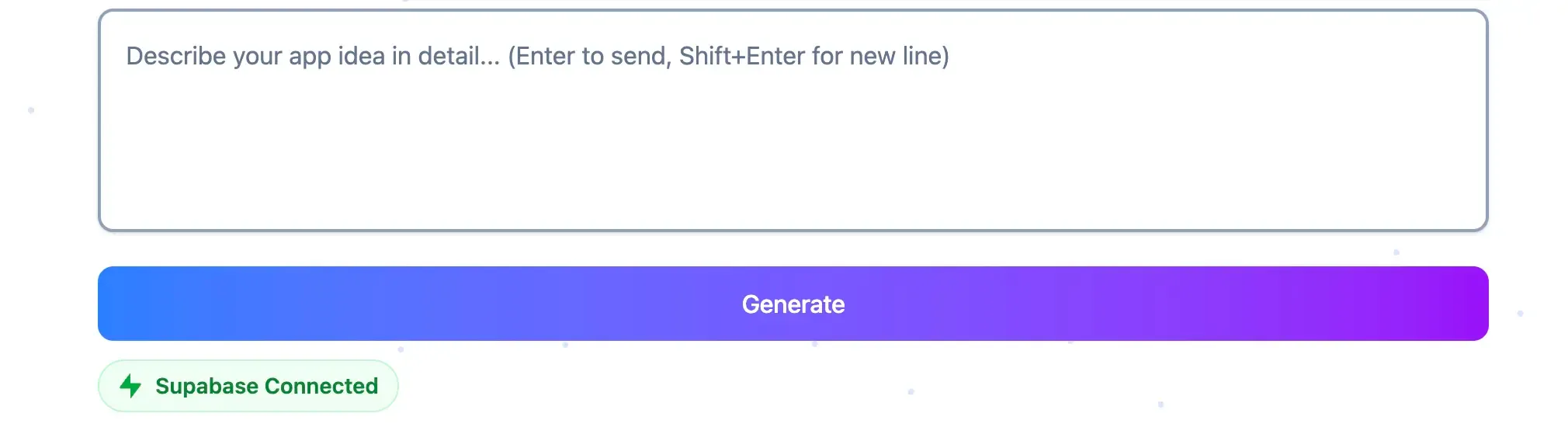
Your project is now ready to use Supabase features such as:
Authentication is one of the most common Supabase features.
With CodePup AI, it’s fully automated.
Just say:
“Add login”
CodePup AI will generate:
You can customize the styling or UX with additional prompts.
Most apps revolve around data storage.
CodePup AI + Supabase make this extremely simple.
Just describe the feature you want, for example:
“Add a testimonial submission form and store name, message, and rating.”
CodePup AI will:
If you provide an Excel or CSV file, CodePup AI can load it into Supabase for you.
CodePup AI does not store your data. It is sent directly to Supabase.
Supabase offers a powerful dashboard:
Everything remains fully customizable after CodePup AI sets it up.
If your app needs image uploads or media storage, Supabase Storage handles it.
For example:
“Add profile picture upload to the settings page.”
CodePup AI will:
public/avatar-images (or chosen bucket)Supabase free tier supports files up to 50MB.
Many apps need sensitive keys (Stripe, OpenAI, Resend, etc.).
When Supabase is connected, CodePup AI provides a secure UI to store secrets.
These are stored in:
When CodePup AI deploys backend functions, they automatically use these secrets securely.
When your app requires custom backend logic, CodePup AI can generate Supabase Edge Functions automatically using natural language prompts.
Common Uses:
Example prompt:
“When a user submits feedback, analyze it with AI and save a sentiment score.”
CodePup AI will:
No manual coding required.
Supabase’s default security rules are permissive in development.
Before production, set up Row Level Security (RLS).
RLS ensures:
You can prompt CodePup AI:
“Apply security rules so users can only edit their own records.”
Still, review them manually in:
Supabase Dashboard → Auth → Policies
Supabase gives your CodePup AI project a complete backend, including authentication, PostgreSQL database, file storage, real-time updates, and serverless functions.
CodePup AI automatically configures everything the moment you connect Supabase.
Yes.
CodePup AI manages your project, while Supabase hosts your backend.
You only need to connect them once using your Supabase Access Token.
When you start a Full-Stack or Interactive Website project, CodePup AI will ask for your Supabase Access Token.
Enter it, and CodePup AI automatically links your project to your Supabase backend. No manual setup required.
Yes.
Supabase is built on PostgreSQL and scales from small side projects to production workloads.
You can begin on the free tier and upgrade when your app gains more users.
Absolutely.
Supabase offers real-time channels that stream database changes instantly.
CodePup AI can generate real-time features such as chat, live dashboards, or activity feeds by simply asking for them in a prompt.
Yes! CodePup AI can process large Excel or CSV files and integrate them with Supabase.
Here’s how it works:
This allows you to turn raw data into interactive dashboards without writing backend code manually.
Yes. On the free tier, Supabase allows uploads up to 50MB per file.
Paid plans increase this limit and allow advanced features like resumable large uploads.
CodePup AI can set up payments using Stripe, while Supabase Edge Functions securely store API keys and handle backend logic (e.g., checkout sessions or webhooks).
You only need to describe what you want, and CodePup AI generates the UI + backend functions.
Not unless you want to.
CodePup AI generates tables automatically based on your prompts.
You can still use Supabase’s SQL Editor or AI SQL Assistant if you want full control.
Yes.
When a feature requires a secret (e.g., Stripe, OpenAI), CodePup AI will open a modal where you can securely enter your keys.
These secrets are then stored safely in your Supabase Edge Function Secret Manager, ensuring they remain private and never exposed in your frontend.
Supabase enables powerful RLS policies for production.
CodePup AI can generate basic policies on request (e.g., “Allow users to access only their own data”).
However, you should still review them in the Supabase dashboard before going live.
Yes.
Supabase’s dashboard allows importing tables directly from CSV or Excel.
If you upload a file to CodePup AI, it can automatically generate tables and push your data into Supabase.